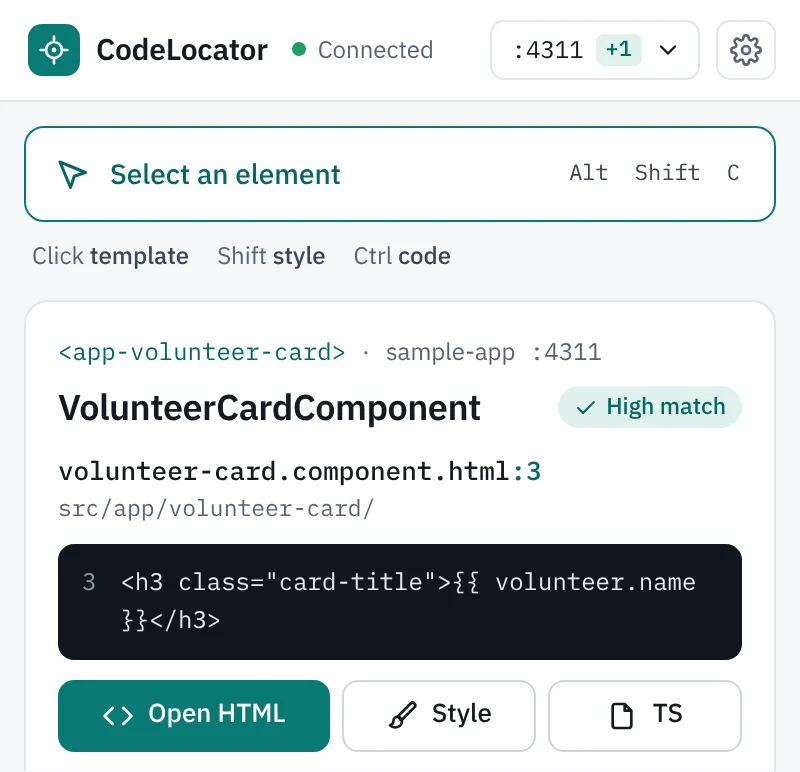
Mona Hassan
Active42 volunteer hours
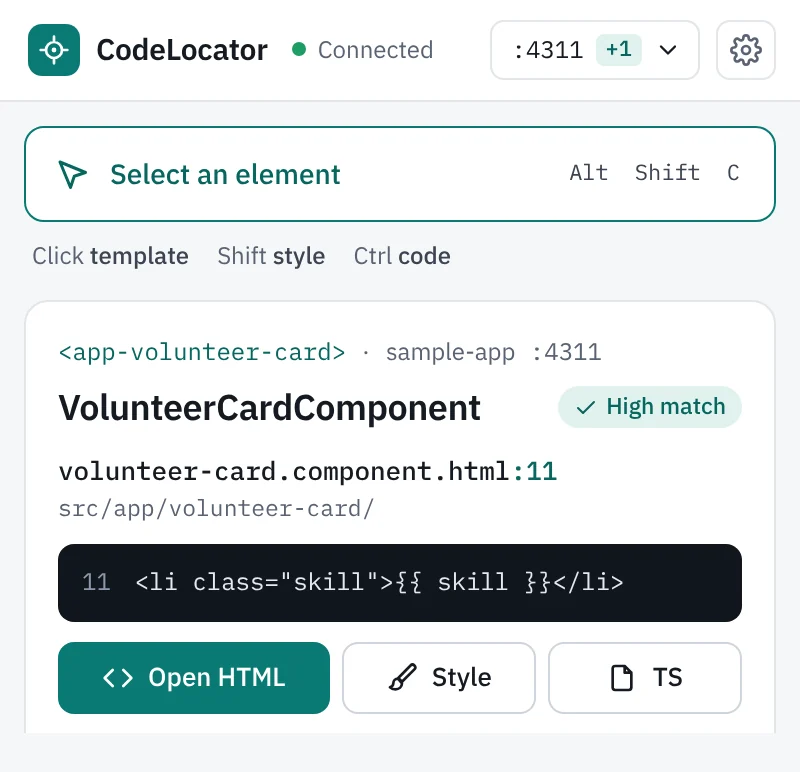
- First aid
- Event setup
- Arabic
Available this month
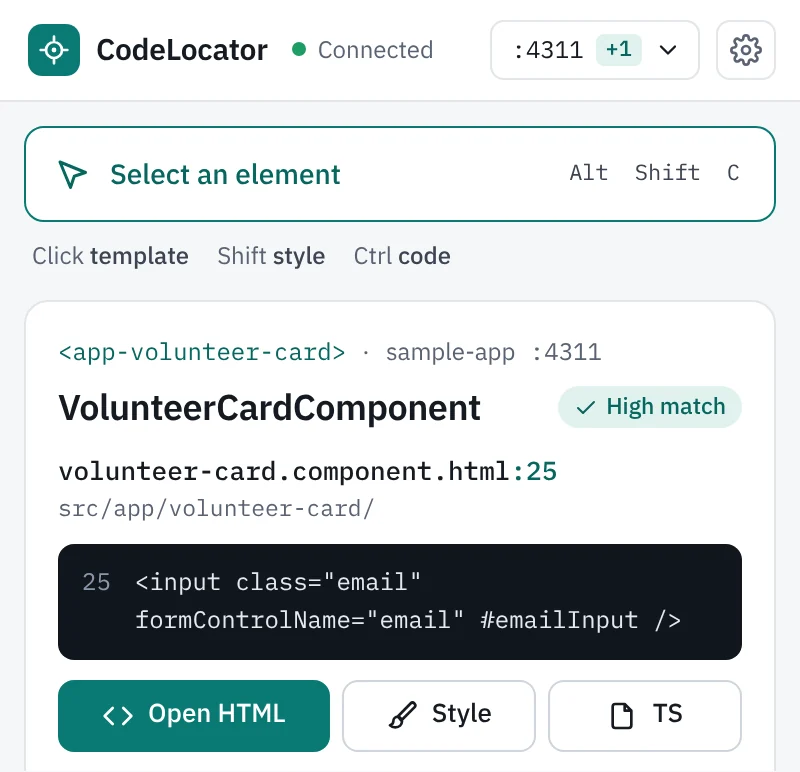
Email address
Send
We reply within a day
CodeLocator is a Chrome extension for Angular and Next.js teams. Press Alt+Shift+C, click a label, button or card on your running app, and your editor opens the template or JSX line that renders it.A Chrome extension for Angular and Next.js. Press Alt+Shift+C, click any element, and your editor opens the line that renders it.
Demo on a sample page. Click a name, a skill, Share or the email field.
42 volunteer hours
Available this month
We reply within a day
18 volunteer hours
Available this month
We reply within a day
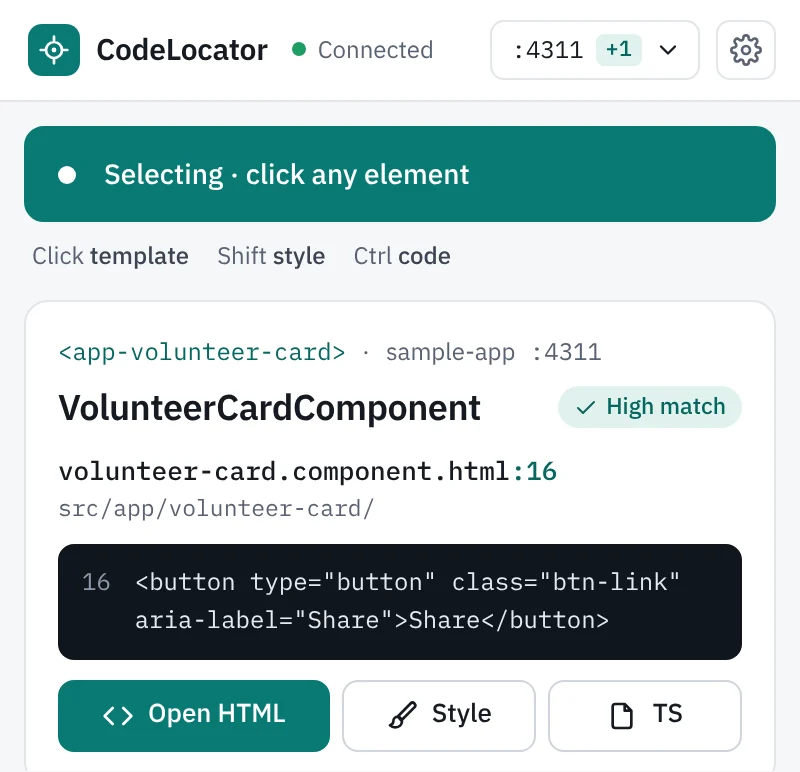
14 <footer>15 <button type="button" class="btn" (click)="join()">Join</button>16 <button type="button" class="btn-link" aria-label="Share">Share</button>17 <button type="button" class="btn-link" aria-label="Report">Report</button>18 </footer>
On a project you don't know well, finding the code behind a button takes about 2 minutes by hand. With CodeLocator it takes one click and about half a second.
A Chrome extension and a small local program, the bridge, work together. Nothing is added to your project.
Install the bridge, codelocator, with npm and add the extension from the Chrome Web Store. The bridge runs on your computer at 127.0.0.1:47310, and the panel's Connect button can start it for you.
Start it with ng serve, npm start, nx serve or next dev. The bridge sees which program serves the page's port and finds that program's project folder.
The extension asks Angular's dev mode, or React's debug info in Next.js, which component made the element. The bridge reads that component's template with your project's own compiler and opens file:line:column in your editor.
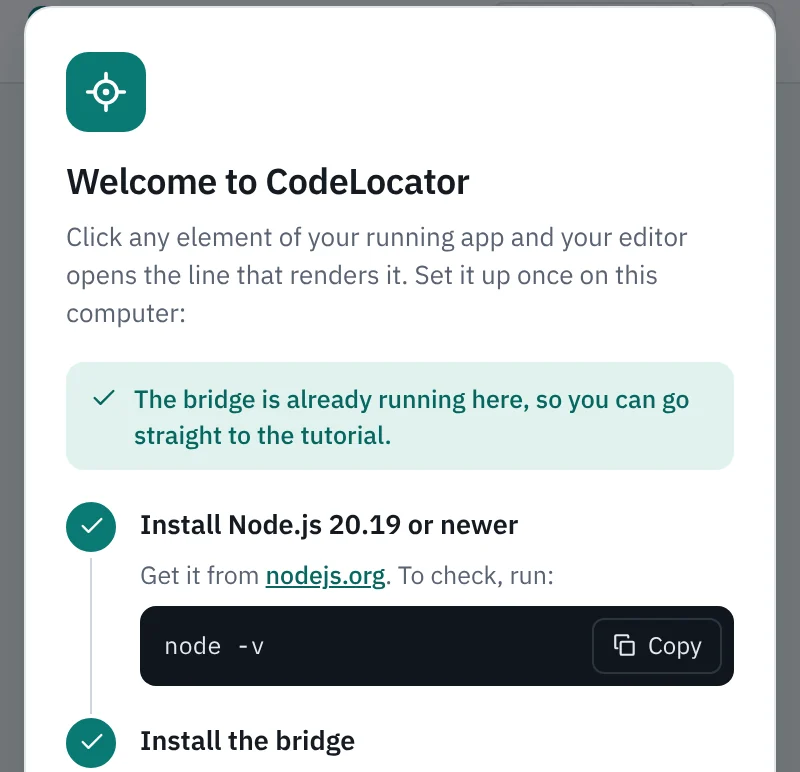
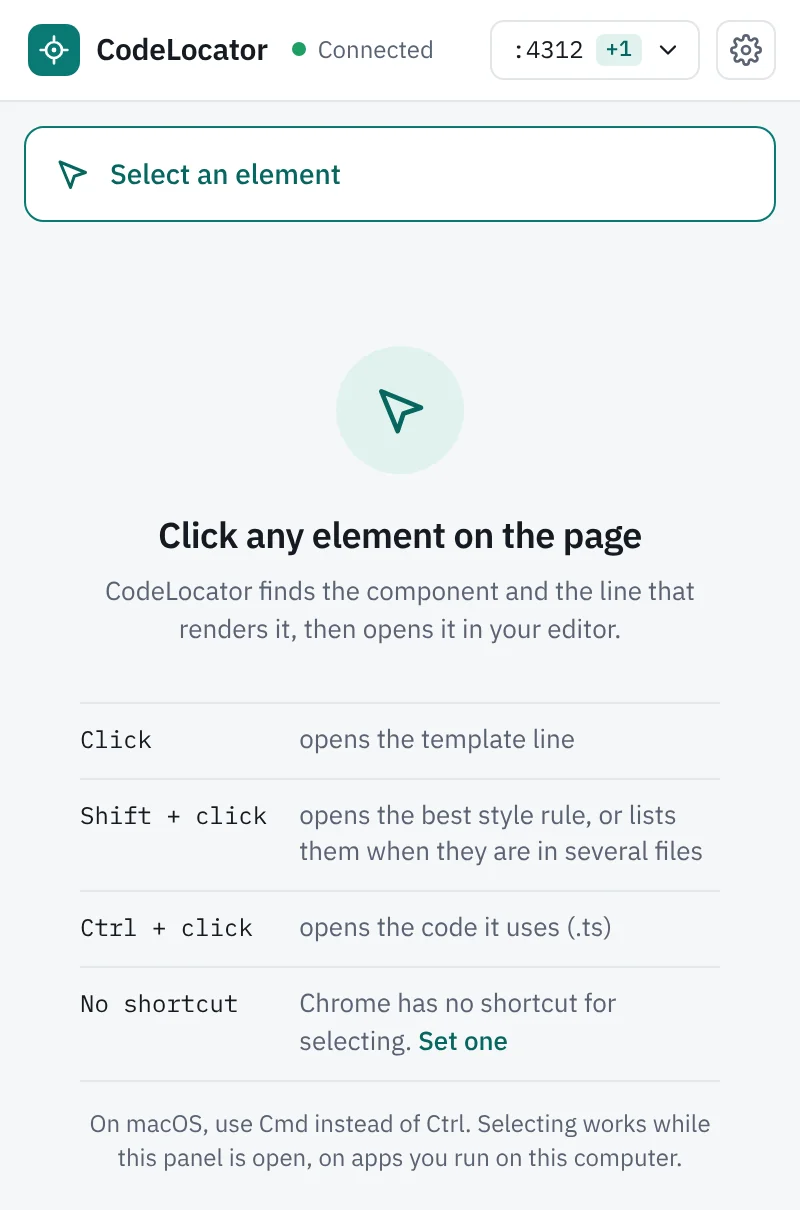
A pick also tells you where the element's styles are, which code it uses and where its value comes from.
Pick a value on the page, such as a volunteer's name, and the Value tab walks back through your code: the @for it comes from, the component input, the parent template that passes it, the signal, the service method, and the HTTP call with its full URL. Every step has an Open button.
name comes from
namevolunteervvolunteerslist()GET /api/volunteersemailsend()create()POST /api/volunteers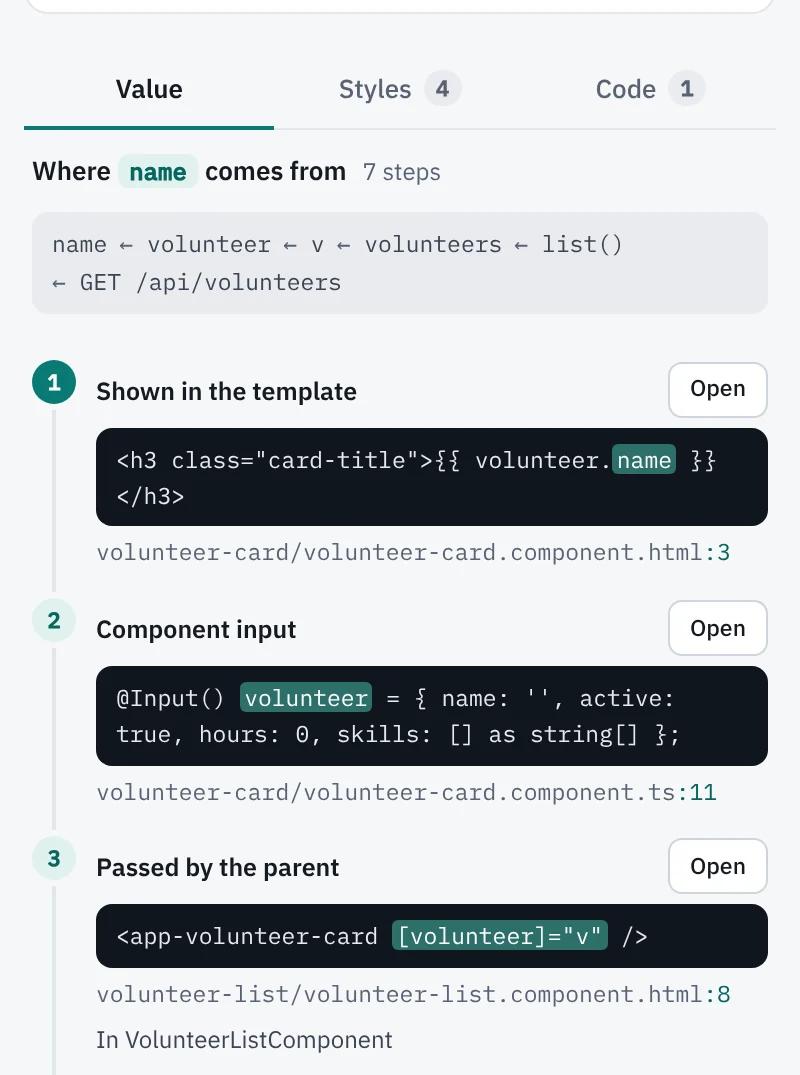
GET /api/volunteers.Shift+click opens the best style rule, with SCSS and Less nesting resolved, so .card { &-title } is found for card-title. When the rules sit in several files, the Styles tab lists them and you choose.
Ctrl+click (Cmd+click on macOS) follows the element's bindings into the component class: its click handler, its form control, its template reference or the property it shows.
Angular only for now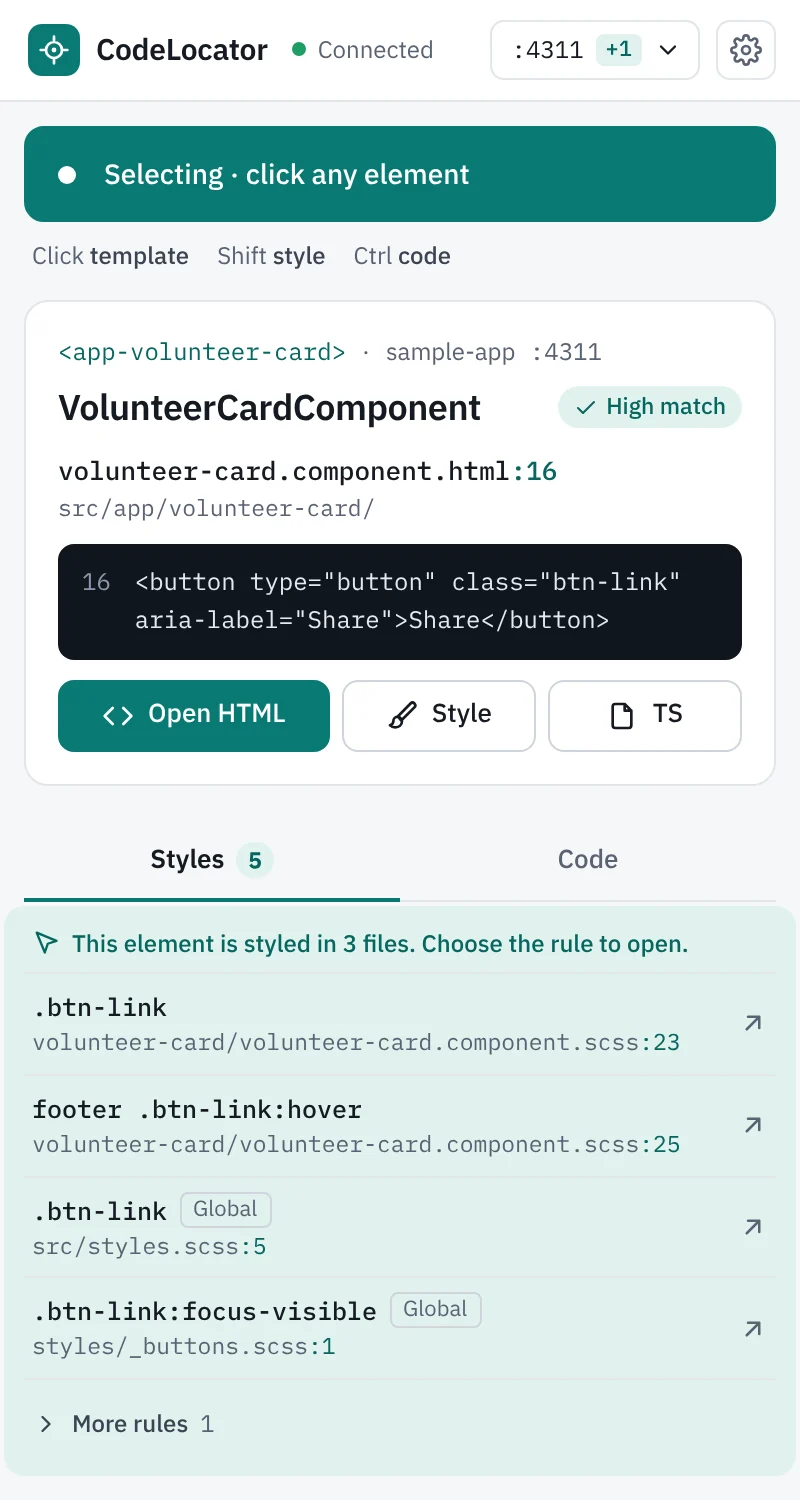
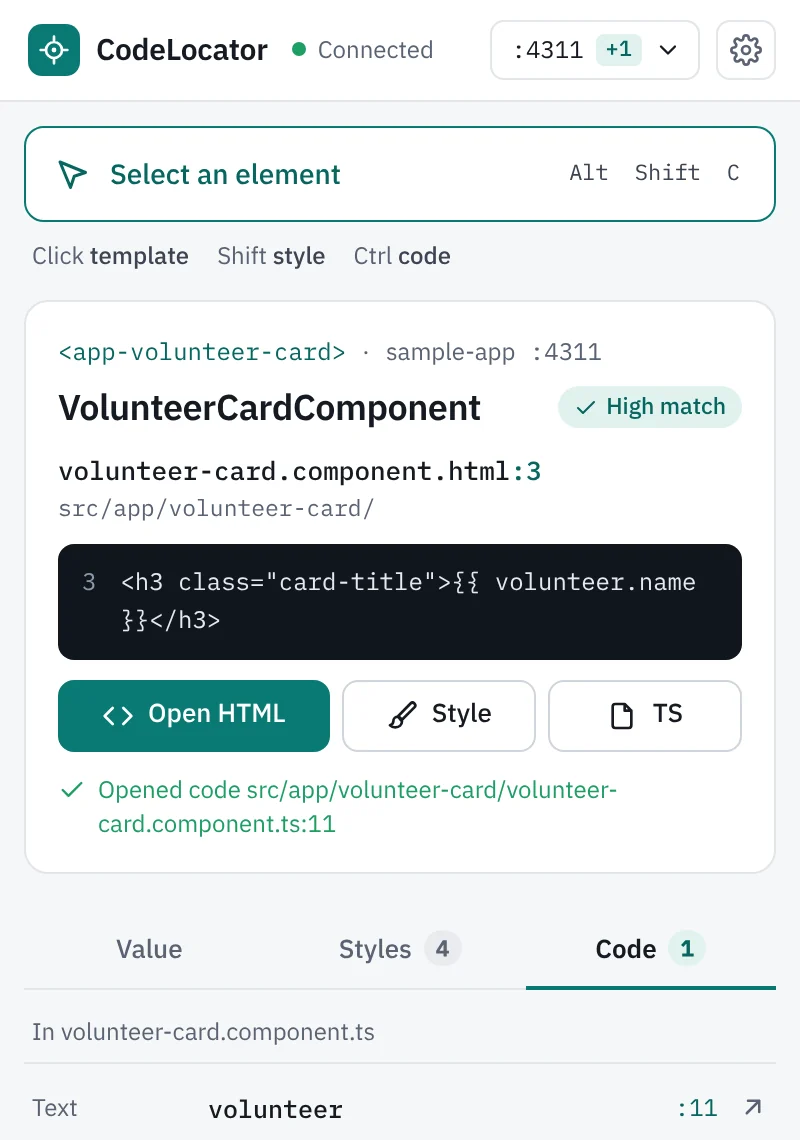
volunteer input on line 11.Run your app the way you always do. The bridge asks your system which program serves the page's port, then walks up from that program's folder to the angular.json or Next.js config. There is no list of projects to keep.
While an Angular app runs, the bridge watches its files, so a component you just added can be picked right away, with no refresh and no restart. Several apps can run at once, and each tab uses the project behind its own port.
Example of two apps running at once. Live means the bridge is watching that Angular app's files.
The bottom of the panel shows the minutes your picks saved this week. Open it for picks per day, what you looked for and each project, and copy one sentence for a report or a slide.
Each pick counts as 2 minutes of searching by hand, minus the time the pick took, so the number stays on the careful side. The counts stay in Chrome on your computer.
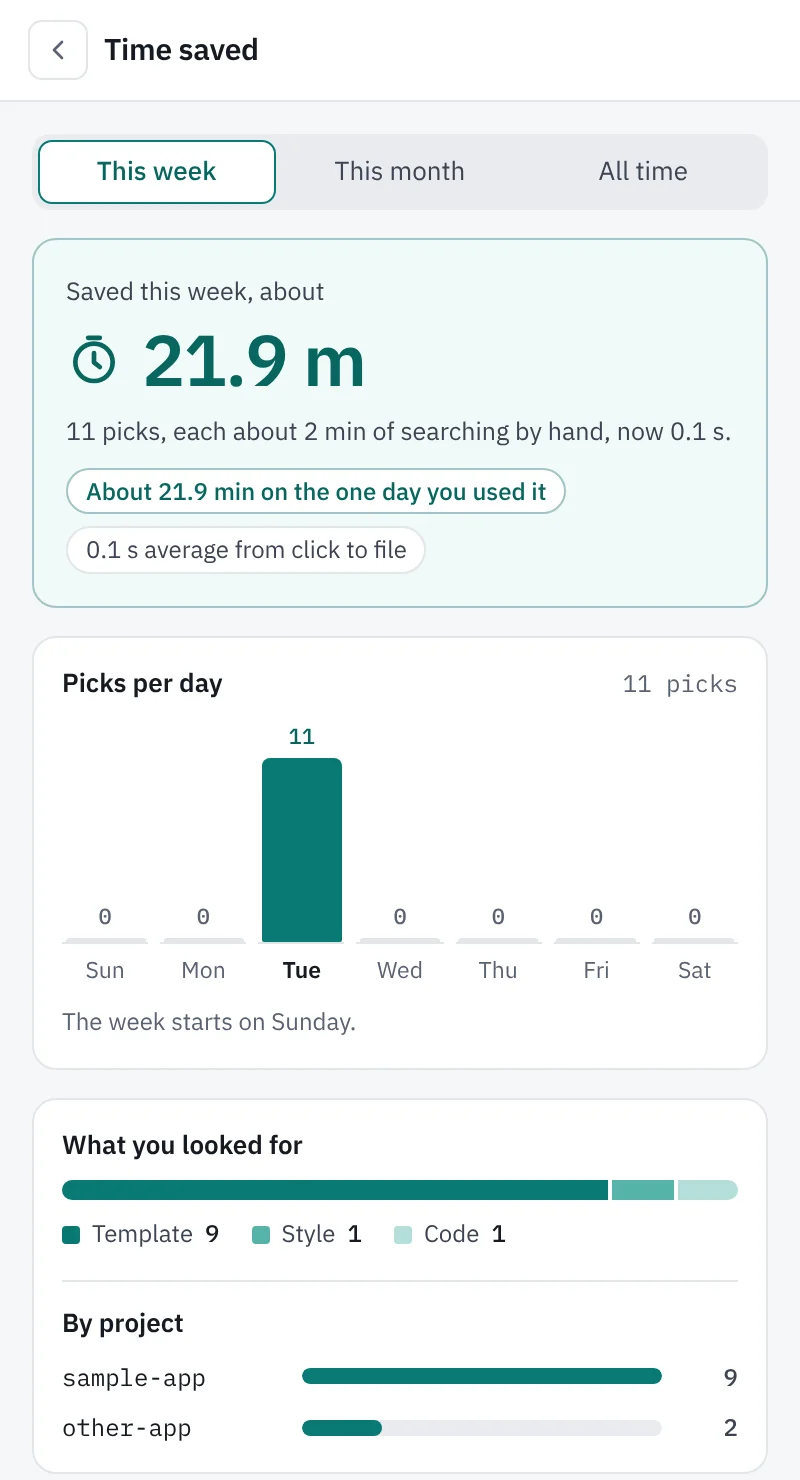
The file opens in the window of its project folder, so you can browse the rest of the app from there.
code commandAny other editor that accepts -g file:line:column works through codelocator --editor.
| Pick | Angular | Next.js |
|---|---|---|
| Click: the line | Template line | JSX line |
| Shift+click: style rule | Yes | Not yet |
| Ctrl+click: code | Yes | Not yet |
| Follow the value | Yes | Not yet |
| Runs with | ng serve, npm start, npx ng serve, nx serve | next dev, npm run dev, Turbopack or webpack |
Every part of a pick happens on your machine, between Chrome, the bridge and your editor.
No source code leaves your computer.
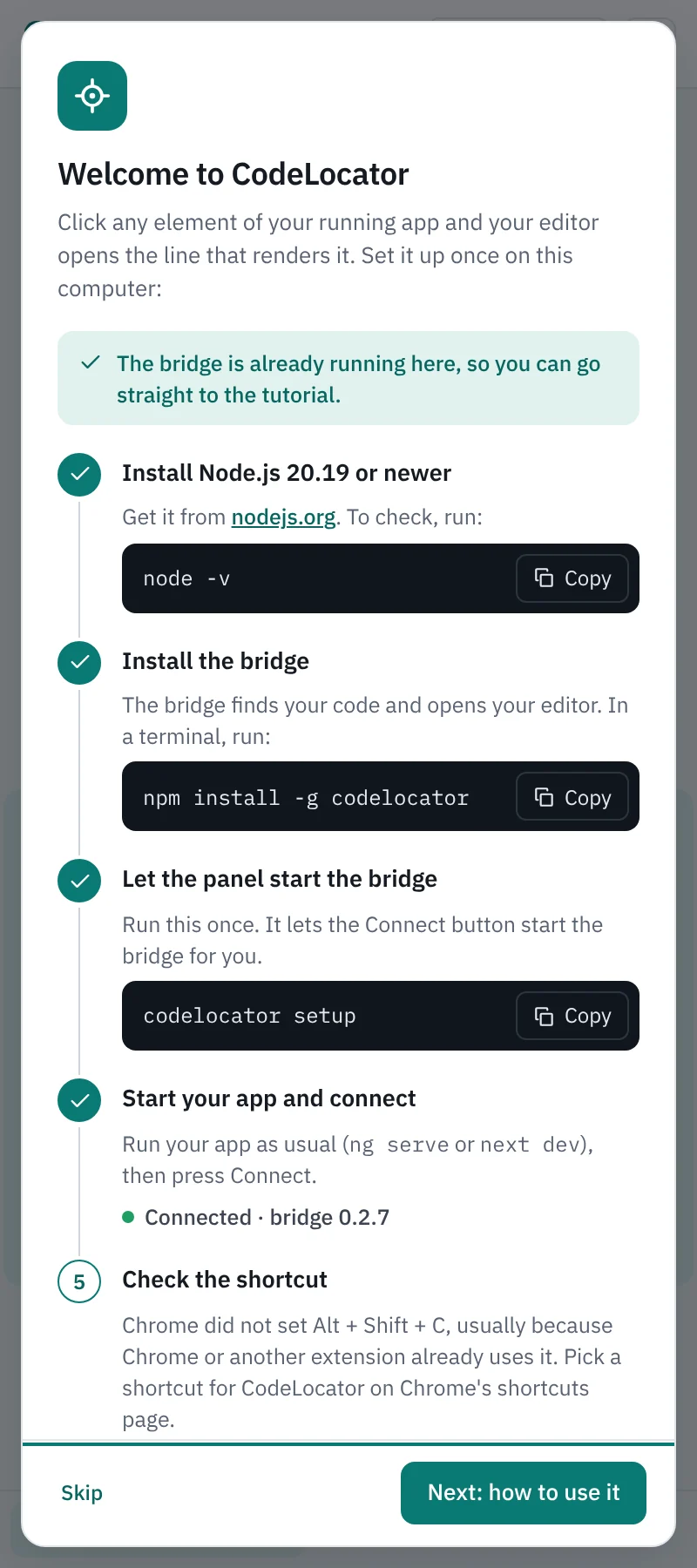
codelocator setup registers a helper that can only start or stop the bridge, and only for the CodeLocator extension.You need Node.js 20.19 or newer, Chrome 123 or newer, and one of the editors above.
Add CodeLocator to Chrome from the Chrome Web Store, then pin it so it is one click away.
Add to ChromeThe bridge finds your code and opens your editor. In a terminal, run:
npm install -g codelocatorRun this once, so the Connect button can start the bridge for you:
codelocator setupStart your app, press Alt+Shift+C and click. The first time, the panel walks you through these steps and a short tutorial.
The extension is on the Chrome Web Store and the bridge is the codelocator package on npm. Both are free.
What teams ask before they install it.
No. Nothing is added to or configured in your projects, and there is no list of projects to keep. The bridge finds the project from the app you are running.
Angular apps started with ng serve, npm start, npx ng serve or nx serve, and Next.js apps on next dev or npm run dev, with Turbopack or webpack and both server and client components. React apps without Next.js are not covered yet.
No. It works on apps served from your computer. Production builds drop the debug information it reads, and apps behind a proxy or inside Docker or WSL are not covered. To find something you saw on staging, run the same app locally and pick it there.
No. The bridge listens on 127.0.0.1 only, reads only the folders of apps running on your computer, and its only action is opening a file in your editor.
If an AI feature is added later, it will be off by default, and nothing will leave your computer unless you turn it on.
VS Code, Cursor, Antigravity and IntelliJ IDEA. Settings shows which of them are installed on your computer. Another editor that accepts -g file:line:column works through codelocator --editor.
It is tested on Windows and Linux. The bridge also finds running apps on macOS, but macOS is not tested yet.
Yes. Each tab uses the project behind its own page's port, so two projects with the same component names never mix. The apps menu in the panel lists every running app.
Each pick that opens a file counts as 2 minutes of searching by hand, minus the time the pick took. The same element picked again within 2 minutes counts once. The counts stay in Chrome on your computer.
Install CodeLocator once, and every Angular or Next.js app you run is one click away from its source.